Install a Plugin
Installing a plugin is (normally) relatively easy; you just need the address of a GitHub (or GitLab) repository where the plugin's code is stored. For example: https://github.com/PanopticOrg/PanopticOCR
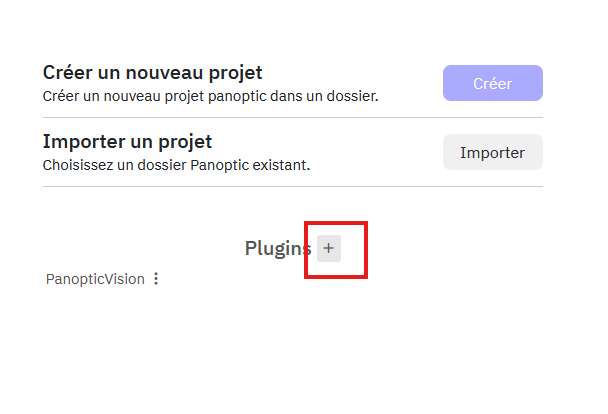
In Panoptic, you then need to go to the main page and click on the +:
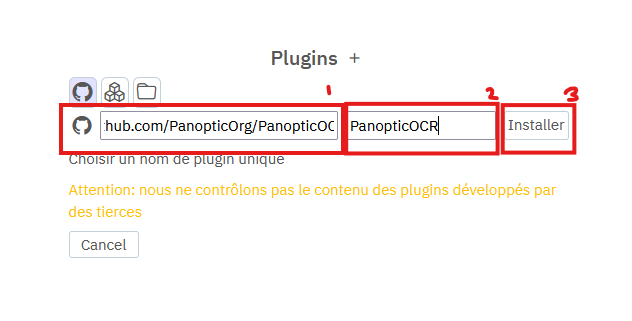
Enter the git URL, click in the name field (which should automatically fill from the URL), then click Install.
The plugin should then install, and once finished, it becomes available for all projects.