Installation (Final)
Info
If you have installed Panoptic with a script / an exe or by using panoptic[vision], this step can be ignored.
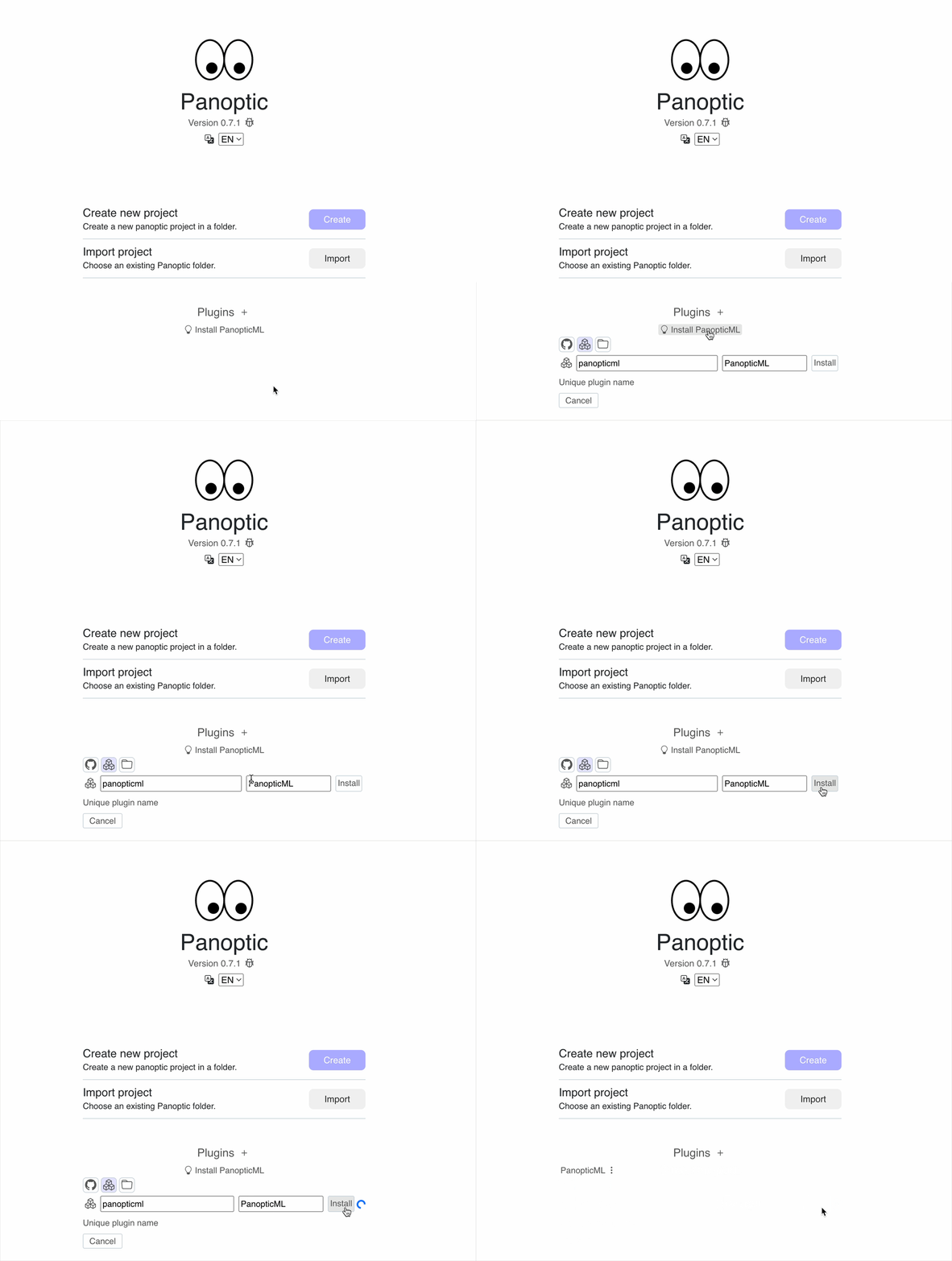
For flexibility, Panoptic is installed without similarity tools. In most cases, you will want to install them to use the clustering and image similarity features.
To do this, simply click on the "Install Similarity Plugin" button on the Panoptic home page once it is launched. This will take a few moments as the libraries can be a bit heavy to download (several hundred MB).
Using a Graphics Card
If you have a graphics card (GPU), this can speed up Panoptic's operation during image import. However, depending on how you installed Panoptic and your operating system, you may not always have the GPU libraries installed by default. Installation information for CUDA versions of PyTorch is available for each OS at this link.
Note that Panoptic's execution will not be impacted if you do not have a GPU; only image import (which only happens once) will be slower.