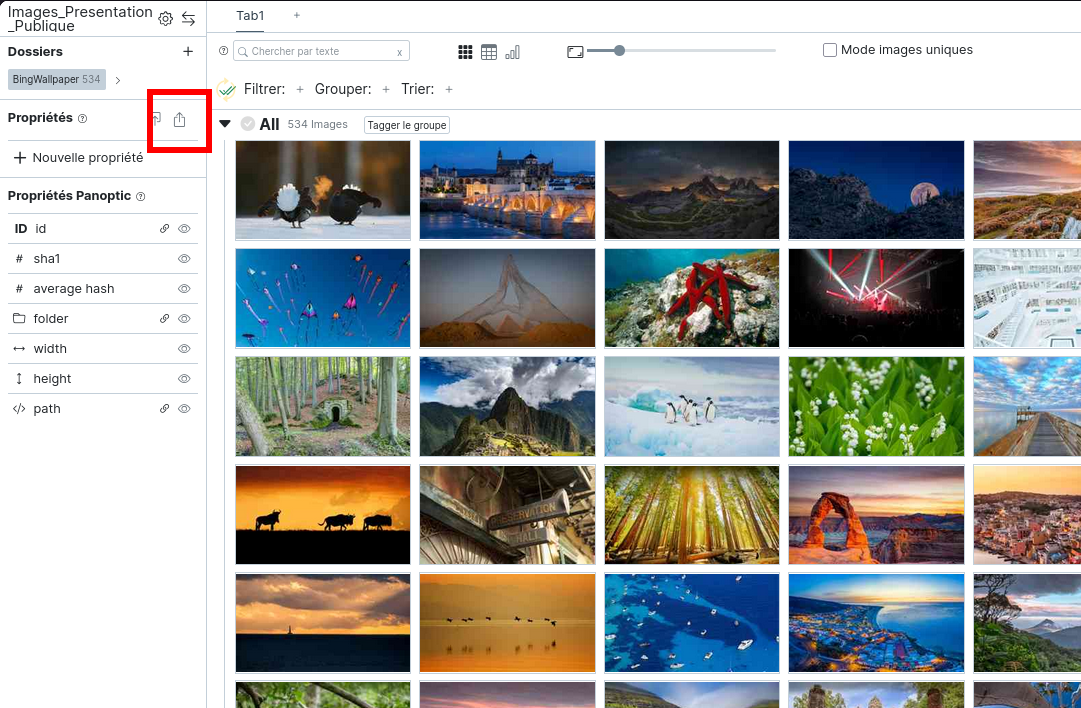
Export Properties
Once your annotations are complete, you can decide to export them, with or without a reproduction of the images.
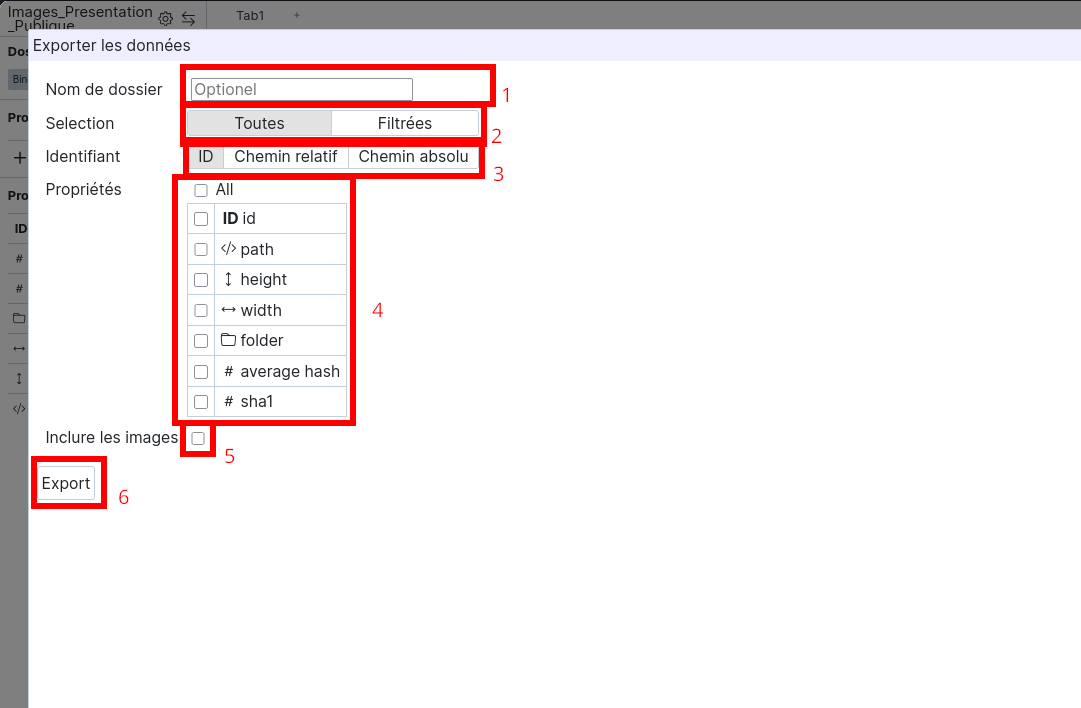
You can then choose whether you want to export all properties, or only a part of them.
To customize your export, you can: (1) Choose a name for the export folder; if you don't specify anything, it will be named after the current date and time, in YYYY-MM-DD-HH-MM-SS format. (2) Select a subset of your images and associated data. (3) Choose between "ID", "Relative Path", and "Absolute Path". (4) Select the properties to export. (5) Include images in the export.
Finally, press the "export" button (6) to validate your choices and start the export.