Find Similar Images
Another similarity tool provided by Panoptic is the search for images similar to a given image. To do this, simply click on an image to open a window containing that image, all its properties, as well as all images similar to it:
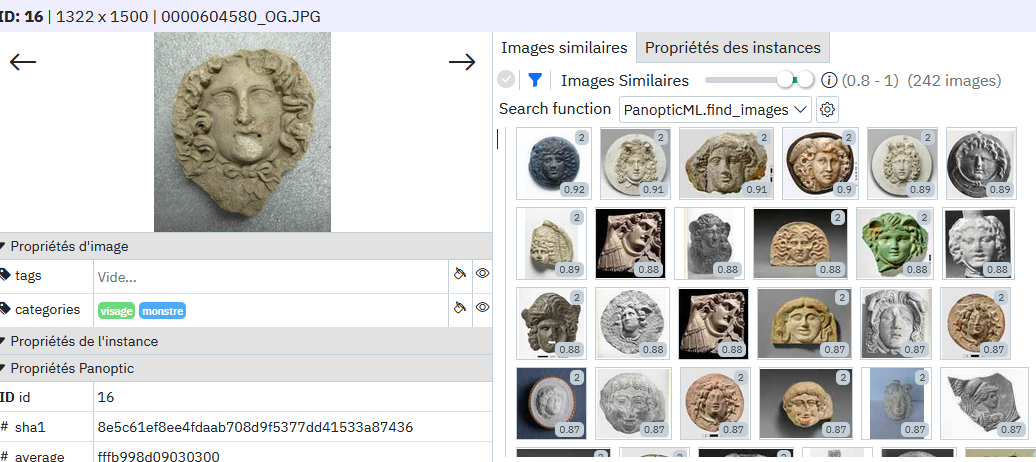
At the bottom right of each image, its similarity score with the "source" image is displayed. Panoptic's basic similarity plugin displays a score ranging from 0 to 1, with 1 being the closest. A filter allows selecting minimum and maximum similarity rates.
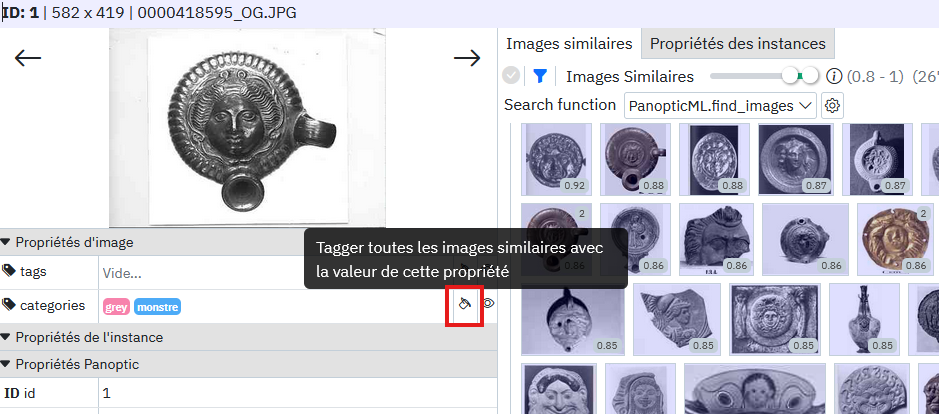
It is then possible to annotate these images either by selecting them and proceeding with a group annotation, or by clicking on the paint bucket icon next to the source image's properties, which will assign the same value to all similar images.